Welcome to The Speakeasy!
Welcome to the official online community for readers of Stephen Puleo. This forum is a place to connect with fellow history enthusiasts and readers from around the world to discuss the stories, historical events, and characters that bring Stephen’s books to life.
Our Goal: Deeper Connections, Richer Discussions
The purpose of this forum is to deepen the connection between Stephen Puleo’s work and his readers. Think of it as a virtual book club where you can go beyond the pages. Here, you can:
- Dive Deeper: Explore the historical context behind each book.
- Share Insights: Discuss your favorite characters, passages, and what you’ve learned.
- Connect with Others: Meet and interact with other fans who share your passion for history.
- Engage with Stephen: Participate in discussions and Q&A sessions with the author himself.
How to Get Started
Step 1: Registration
To become a part of our community, you first need to register for an account. It’s a quick and easy process.
- Navigate to the registration page here: https://www.stephenpuleo.com/the-speakeasy/register
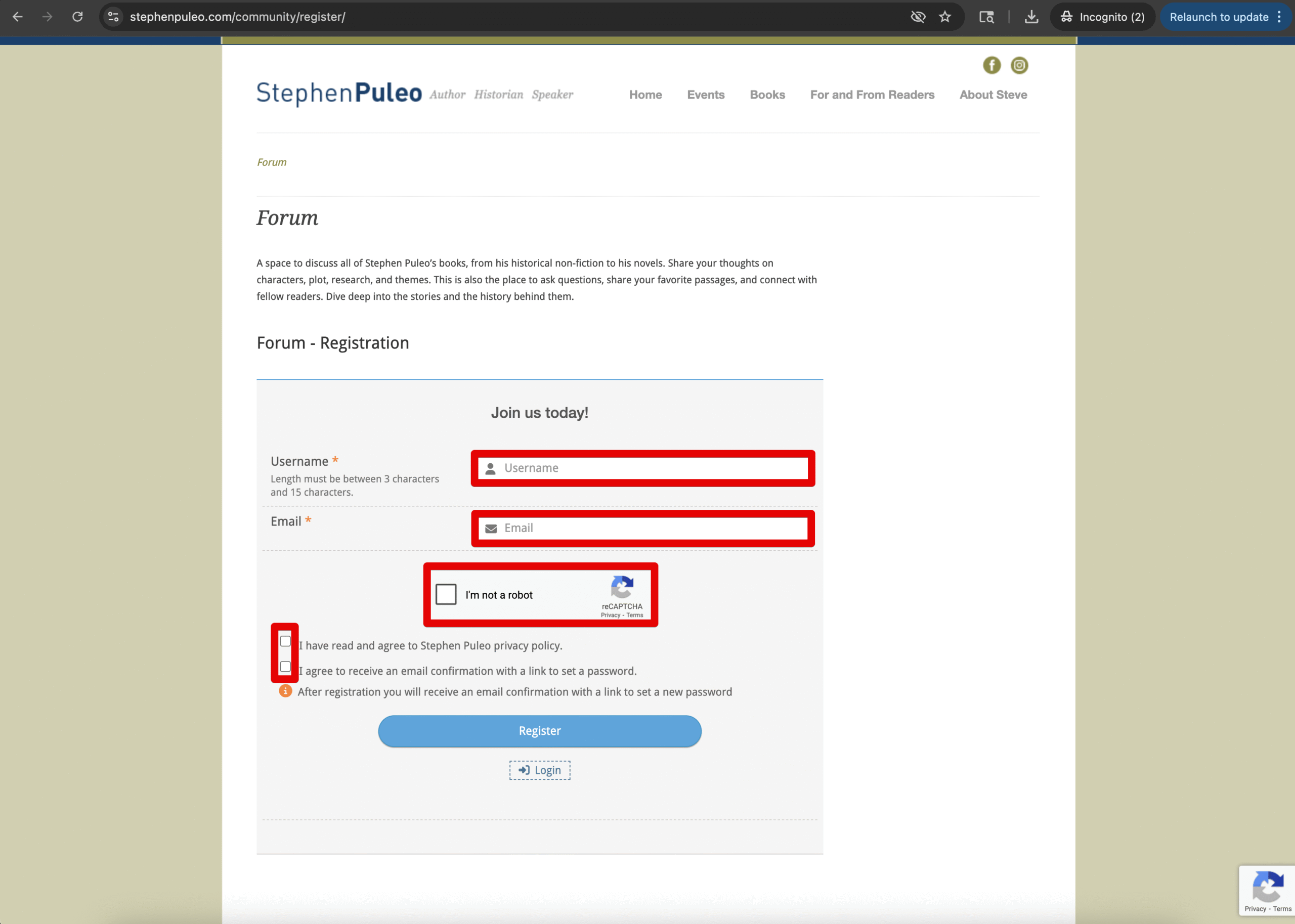
- Fill out the required information, including your desired username and password.
- Be sure to click the box next to “I’m not a robot” and the 2 checkboxes.
- Click “Register” to create your account.
- Note: If you don’t see the confirmation email in your inbox, please check your spam or junk folder.
Step 2: Login
Once you have an account, you can log in to access the forums.
- Go to the login page at https://www.stephenpuleo.com/sign-in/
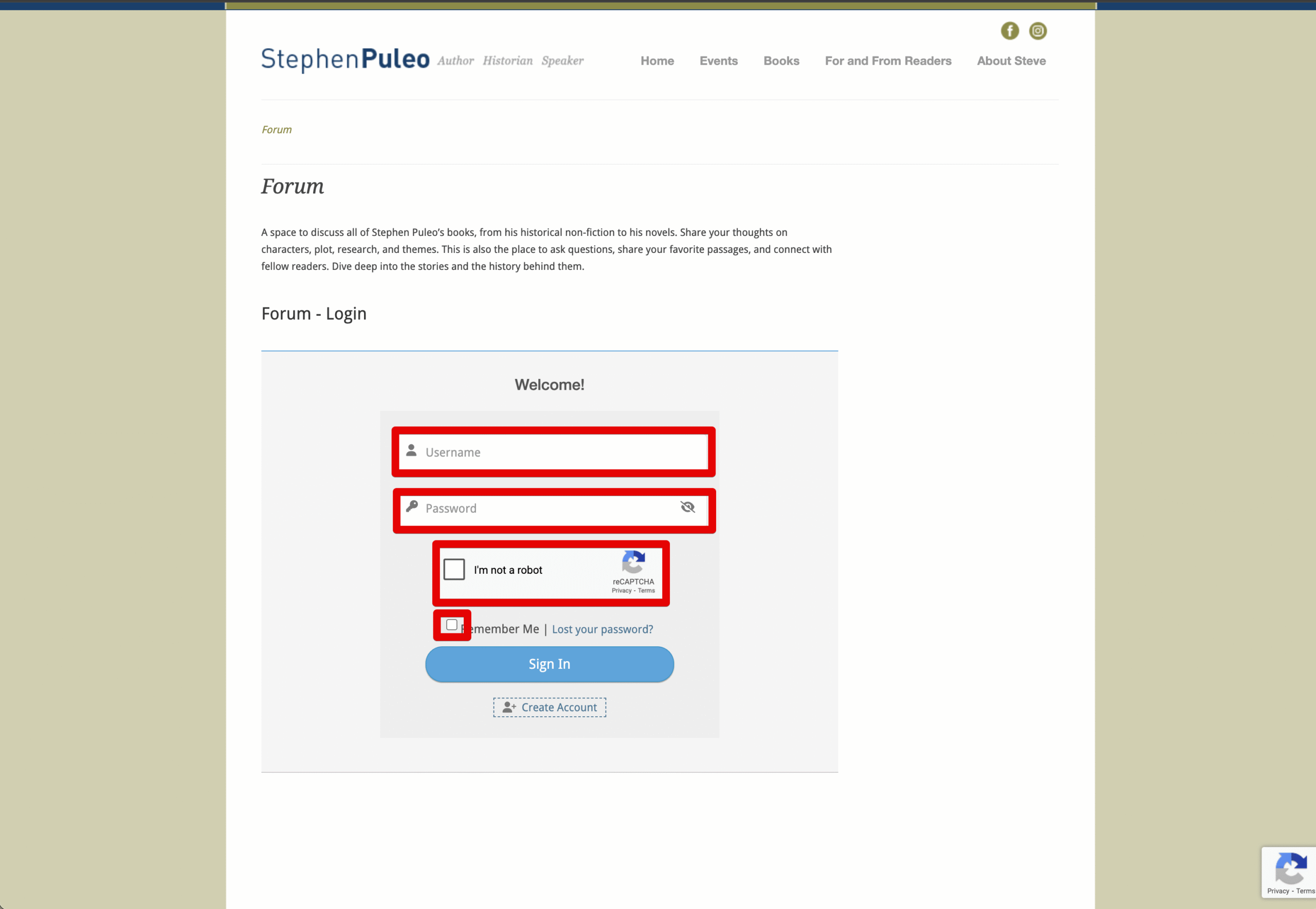
- Enter your username and password.
- Be sure to click the box next to “I’m not a robot”.
- Click the “Sign In” button.
How to Post a New Topic
Posting a topic is how you start a new conversation.
- Choose the right category. Navigate to the main forum page and select the category that best fits your discussion (e.g., “Books,” “History Discussions,” or “General”).
- Find the “New Topic” button. Once you’re inside a category, look for a “Create Topic” or “New Topic” button. It’s usually located at the top of the list of forums.
- Create your post.
- Subject: Give your topic a clear and descriptive title.
- Message: Write your message in the main text box. You can include text, images, and more.
- Tags: (Optional) Add relevant tags to help other users find your topic.
- Submit. Click the “Add Topic” button to publish your topic for the community to see.
Ready to get started?
Click here to access the Forum.